Justification of Topic:
How to create and update an event in the Google Calendar using FileMaker API. It will work above FileMaker version 16.
Introduction:
Integration of FileMaker and Google Calendar:
Step 1:
- Go to the Google Developer Console (https://console.developers.google.com/) and create a project.
- Navigate to the Google APIs and go to Calendar API then click “Enable API”.
- Click the “Go to credentials”. Set it to call from a “Web Browser (JavaScript)” and you will be accessing “User data”. Then click “What credentials do i need?”
- Set a Name for the Client ID and set the Authorized redirect URI to “https://fmdbsolutions.com”, it is important that the redirect URI matches exactly. Then click “Create client ID”.
- Give your product a name and any other options. This is what end user will see when authorizing your solution to manipulate their calendar. Click “Continue”.
- Click “Done” then click on the Client Name you just created.
- Enter the provided Client ID and client Secret Id in the FileMaker Database.
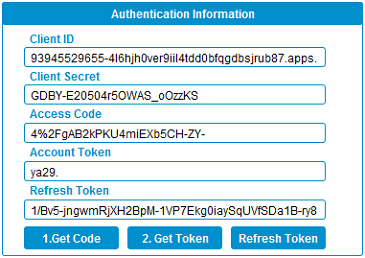
Step 2:
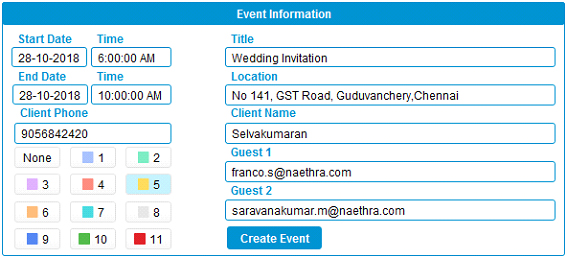
Step 3:
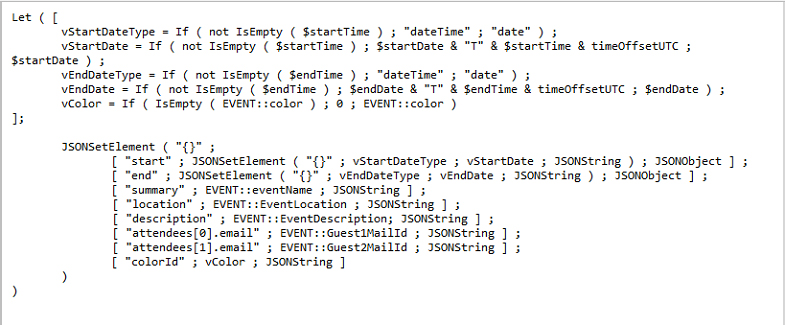
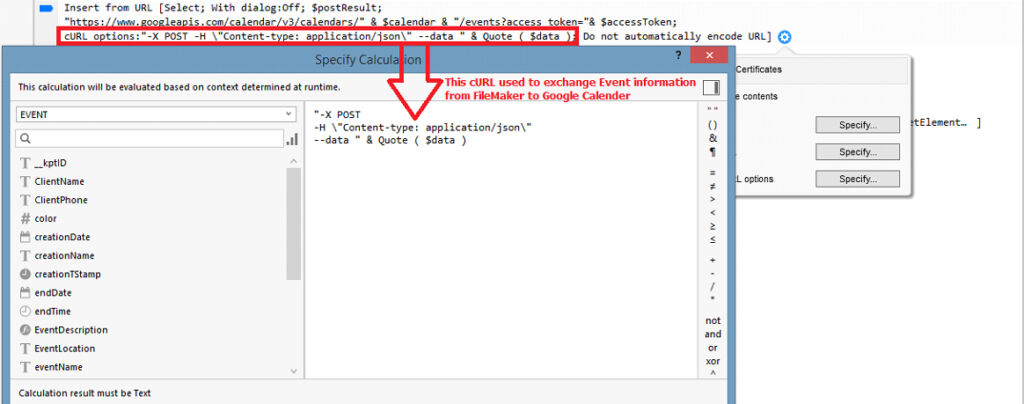
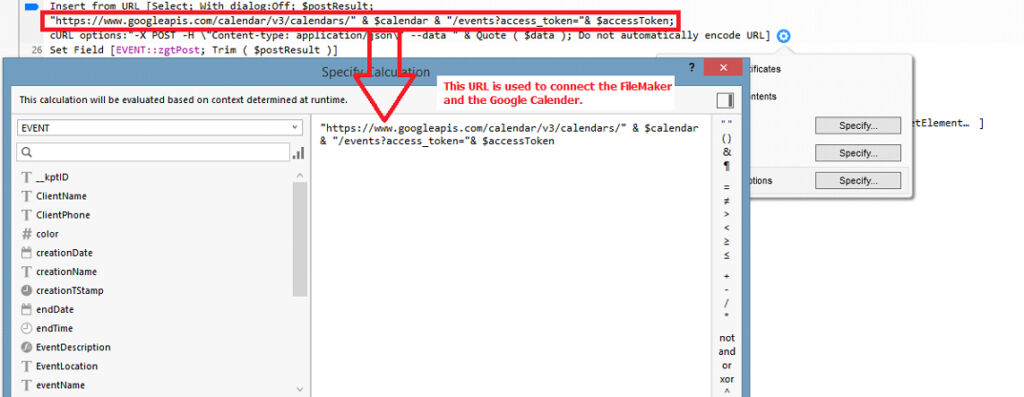
Step 4:
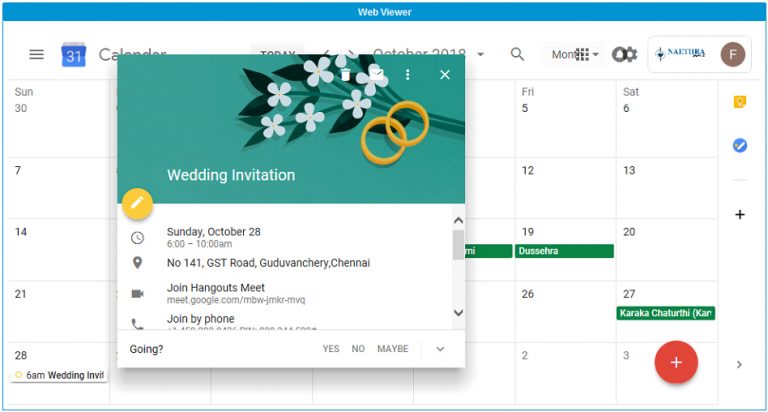
Conclusion:
In conclusion, The team at FMDBSolutions hopes this article explained to you a workaround to How to create and update an event in the Google Calendar using FileMaker API.. FMDBSolutions is a team of well-qualified experts that have a lot of experience with the many versions of FileMaker Pro and the FileMaker Go app too.
Our team knows all about transitioning, migrating, converting, and upgrading for FileMaker. Companies that require FileMaker Integration can also use our services. Naethra Technologies Pvt Ltd have worked with clients from the USA, Australia, and Singapore and will complete your FileMaker assignment in the best possible way at a lower price but at the same or higher level of excellence.
Comprehensive Full Stack Development Outsourcing
Mastering Web, Mobile Native, and Cross-Platform Applications