Integrating Node.js Using Angular JS
AngularJS is an open-source application development framework that is used to design and implement both mobile as well as a desktop application. The framework is built using TypeScript. TypeScript adds syntax to JavaScript to provide strong type checking. Your integrated development environment (IDE) can apply static type checking to help catch errors earlier and help you when refactoring later.
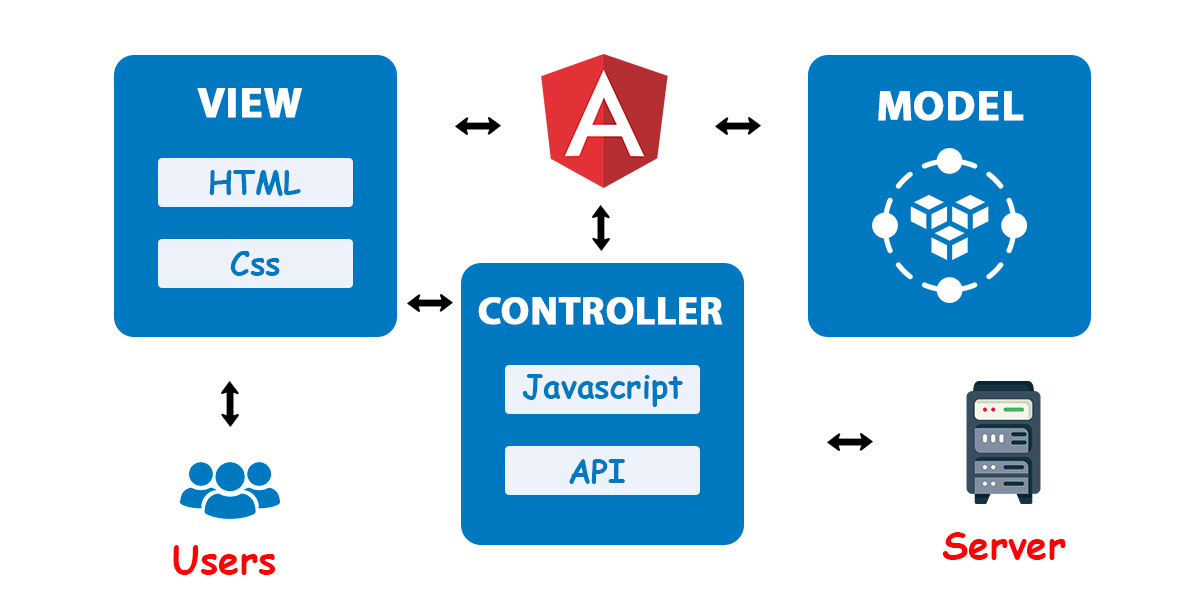
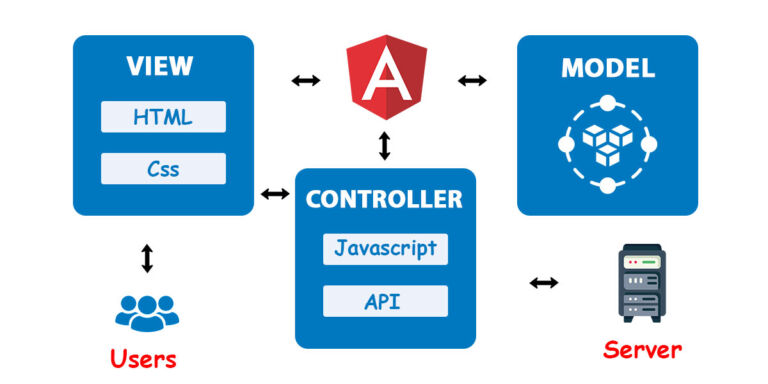
In Angular JS, it is very easy to develop applications in a clean MVC way. You just have to split your application code into MVC components i.e. Model, View and the Controller. This approach makes it suitable for various types of Web & Mobile App Development.
Model View Controller (MVC)
In order to reference the Node APIs, the developer needs to first install the NodeJS packages (as shown below).
‘NPM’ is the acronym for ‘Node Package Manager’ – and installs all the libraries and APIs
under NodeJS into the current application. The related Node APIs would be available to be used in the Angular application. In case the developer intends to check the integration of the two; they can simply check the folder structure, wherein the ‘public’ folder would have all dependencies related to the Angular front, and the ‘server’ folder would include all related libraries and files pertaining to NodeJS framework.
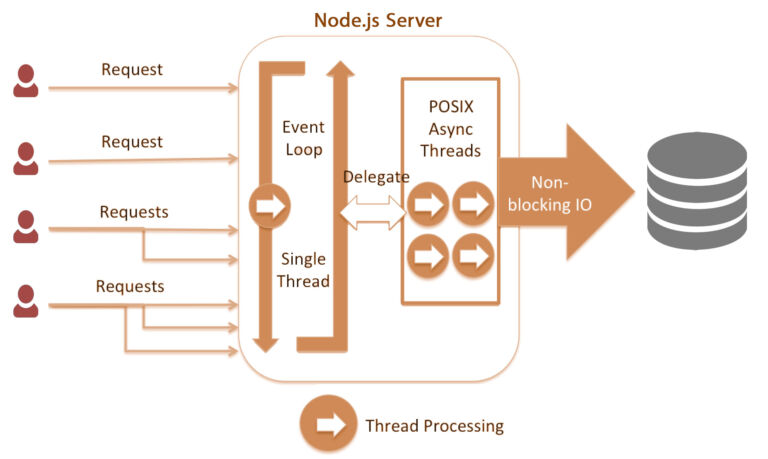
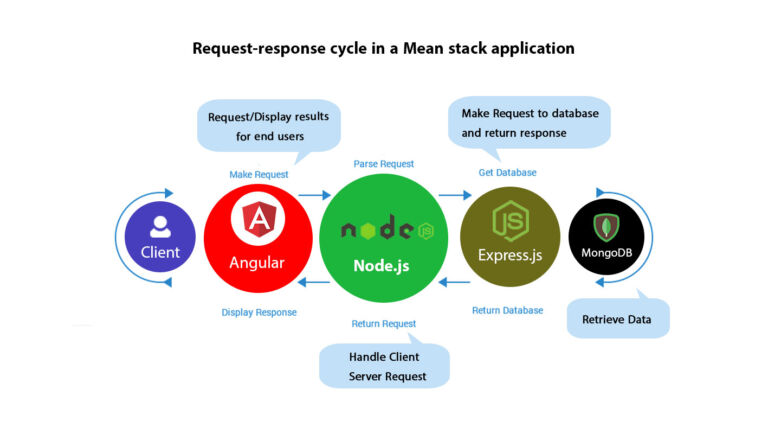
The various components of MEAN comprise –
M (MongoDB) – Refers to the backend support in an application & transferring data from server to client
E (ExpressJS) – Express.js is a back end web application framework for building RESTful APIs with Node.js
A (Angular) – JavaScript framework used for front-end development
N (NodeJS) – JavaScript framework for server-side execution
As shown in the figure; the integration of the different frameworks caters to the end-to-end
Comprehensive Full Stack Development Outsourcing
Mastering Web, Mobile Native, and Cross-Platform Applications